

Add a second device for your child
A tablet at the other parent's home, or a new phone. Set it up from your own phone in two minutes.
Your child can use Rilo on more than one device: a tablet at each parent's home, for example. Every device you add becomes your child. It gets their friends, their messages and their calls.
What you need
- The new device, with Rilo installed, in your hand.
- Your own phone, the one you use as your child's grown-up.
Keep both close: you will scan a code from one with the other.
On the new device
- Open Rilo.
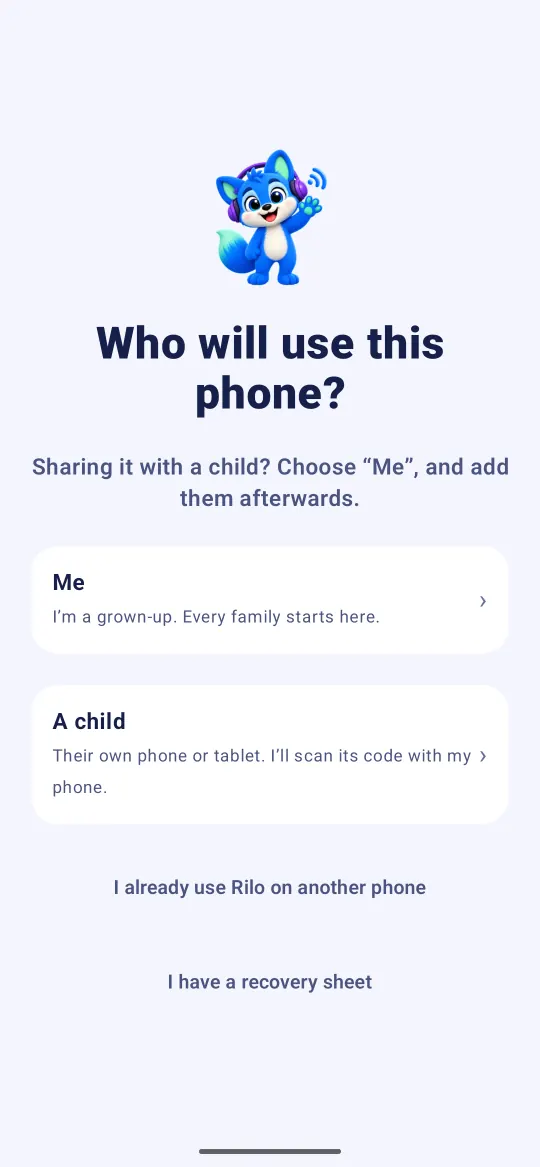
- On Who will use this phone?, choose A child.
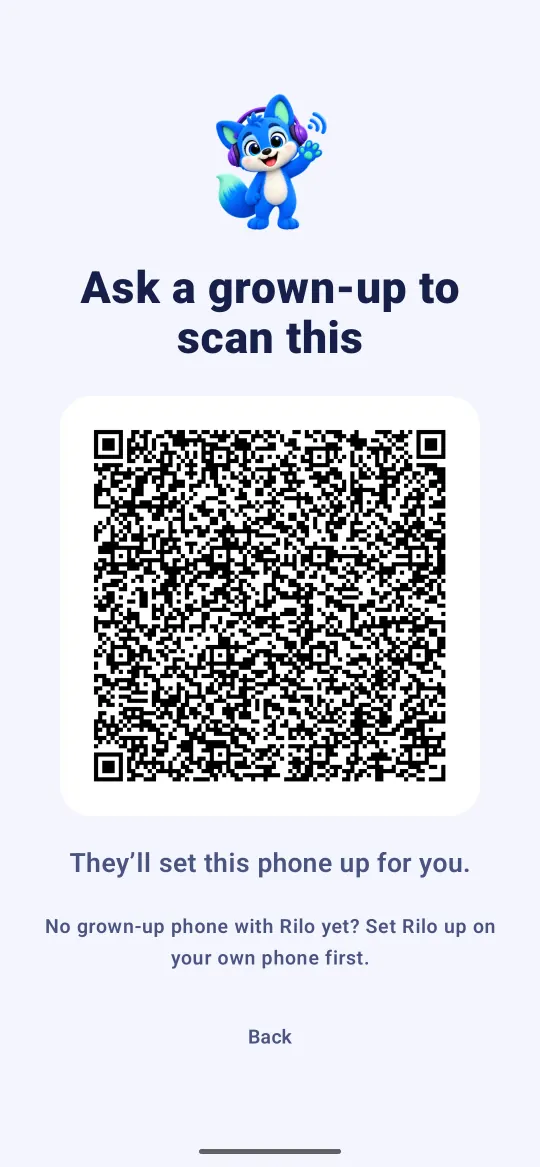
- The device now shows a code. Leave it on screen.
On your phone
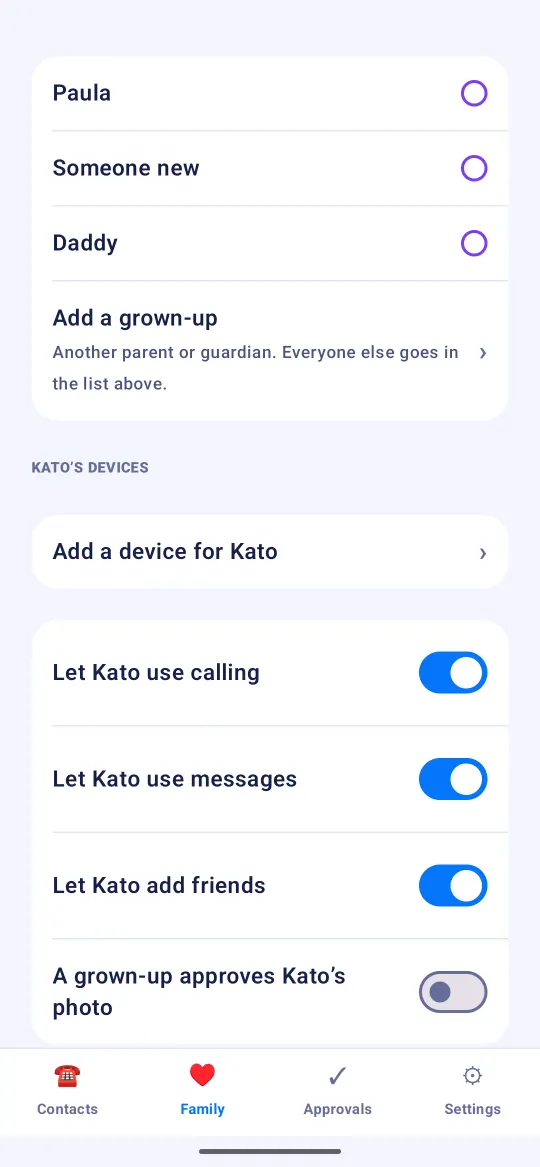
- Open the Family tab and tap your child's name.
- Under Emma’s devices, tap Add a device for Emma.
- Point your camera at the code on the new device.
- Rilo shows what will happen: This device becomes Emma. Read it, tick the box, and tap Add this device.
That's it. The new device lets itself in, and your child's contacts appear on it as they come online.
Good to know
- The device that shows the code is the one that becomes your child. Make sure it is the new device, never your own phone. If your own phone now opens as your child, see Reset a child's phone or tablet.
- Codes on a screen are only good for a few minutes. If the scan does not work, go back on the new device and let it show a fresh code.
Still stuck?
Write to us at hello@rilotalk.com. A person reads every message.