

Use Rilo on a second device of your own
A tablet or a second phone that acts as you, with your contacts and your children.
You can use Rilo on more than one device: your phone and a tablet, for example. Every device you add can act as you. It gets your contacts and your children, and it can approve who they talk to.
On the new device
- Install Rilo and open it.
- On Who will use this phone?, tap I already use Rilo on another phone.
- Rilo asks What should we call you here? Type your name. It stays on this device only.
- Tap Show the code. The device shows a code and waits.
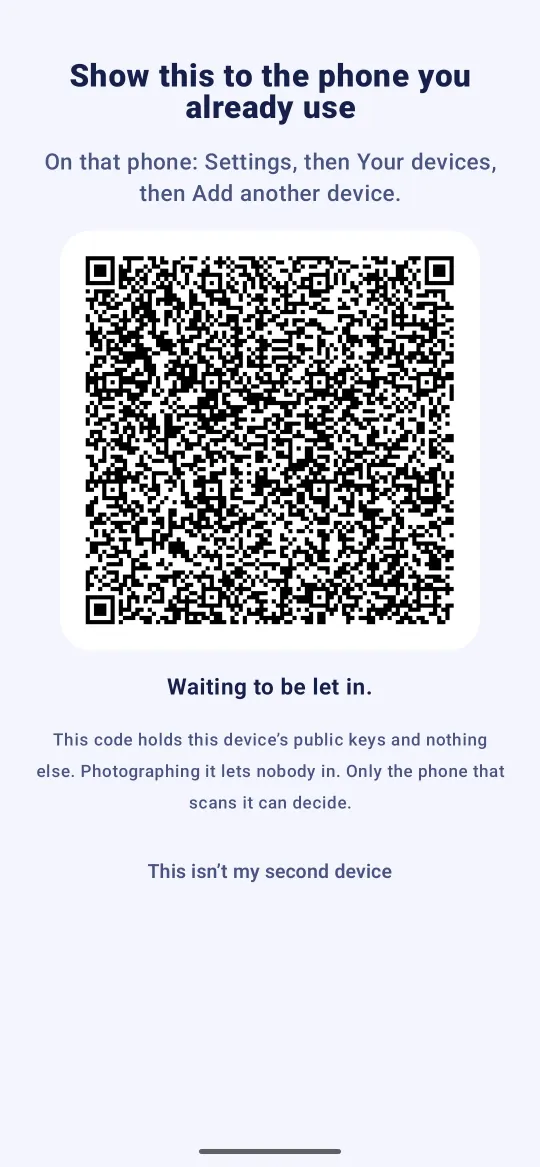
On the phone you already use
- Open Settings, then Your devices.
- Tap Add another device and point your camera at the code.
- Read what Rilo tells you (This device will be you.), tick I am holding both devices, and this one is mine. and tap Add this device.
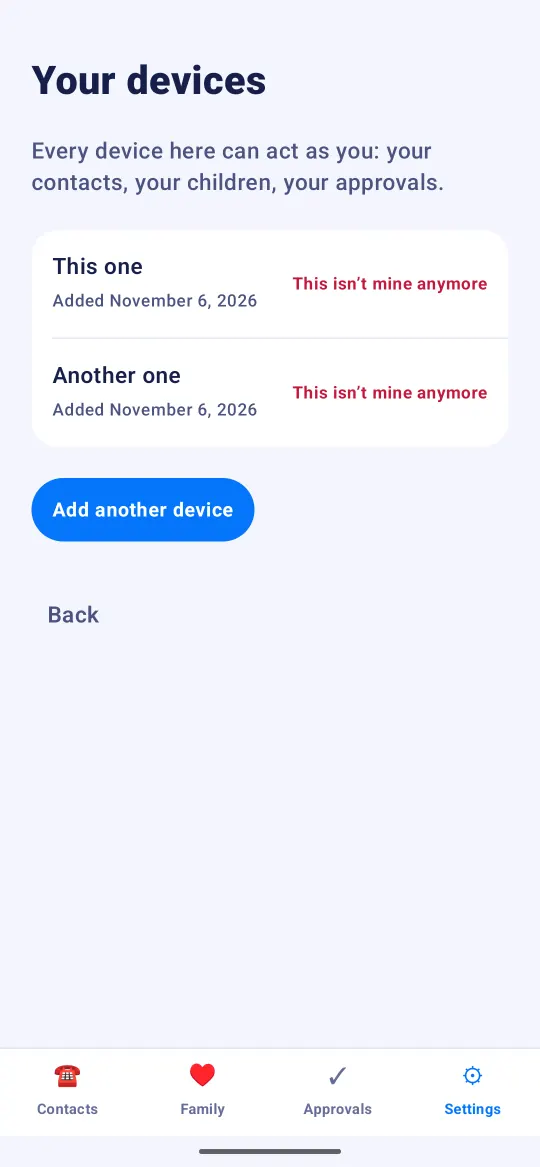
The new device is let in straight away, and your contacts appear on it one by one as they come online.
Taking a device off the list
In Your devices, tap the device and choose This isn’t mine anymore. Nothing happens for two days: every device you have is told, and the one being removed can say it wasn't you. That wait is deliberate, so that a stolen phone cannot quietly remove yours.
Good to know
- Setting up a device for your child is different. See Add a second device for your child.
- Codes on a screen are only good for a few minutes. If the scan does not work, show a fresh code.
Still stuck?
Write to us at hello@rilotalk.com. A person reads every message.