

Remove a child from Rilo
When your child stops using Rilo, or you stop being one of their grown-ups.
You remove a child from your own phone. What happens next depends on whether your child has another grown-up in Rilo.
How
- Open the Family tab and tap your child's name.
- Scroll to the very bottom and tap Remove Emma.
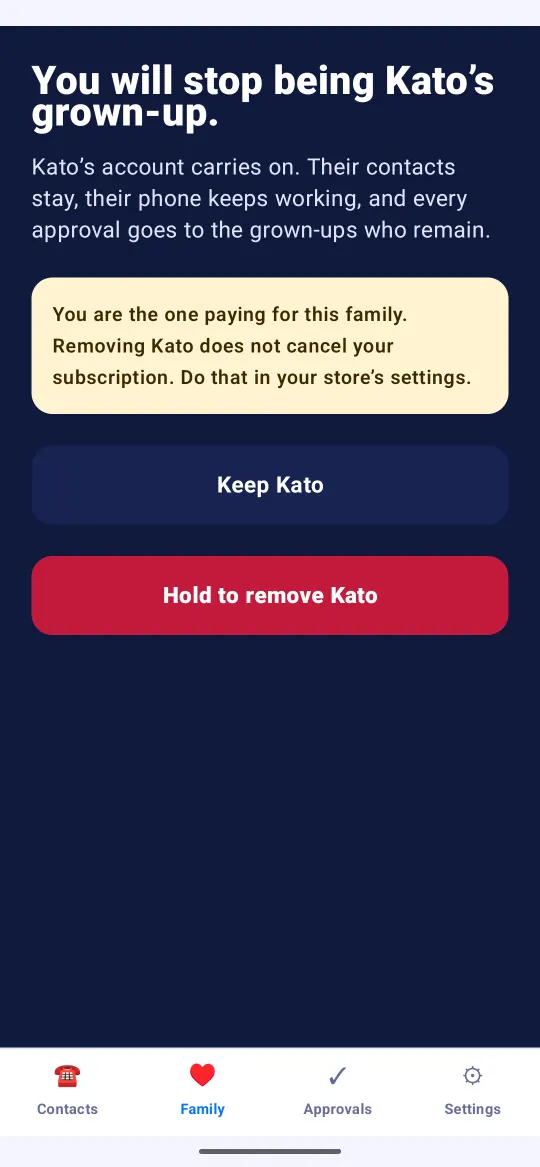
- Read what Rilo tells you, then hold Hold to remove Emma.
If you are your child's only grown-up
Rilo says Emma’s account will be destroyed. Their account is deleted, on your phone and on our server, with their keys, their contacts and every message they exchanged. There is no copy of it anywhere.
Their contacts will find that your child is gone. Nobody is told why, and nobody is told by us. Your child's own device goes back to its first screen the next time it is online.
If your child has another grown-up
Rilo says You will stop being Emma’s grown-up. Your child's account carries on: their contacts stay, their phone keeps working, and every approval goes to the grown-ups who remain.
Good to know
- Removing a child does not cancel a subscription. If you are the one paying, cancel it in your app store's settings.
- Only passing a device on? You do not need to remove anyone. See Reset a child's phone or tablet.
Still stuck?
Write to us at hello@rilotalk.com. A person reads every message.